Nellai Pasanga ЁЯШН: How to

Nellai Pasanga ЁЯШН

#ро╡ிро╡роЪாропроо் роОрой்рокродு родொро┤ிро▓ுроо் роЕро▓்ро▓ роХро▓ாроЪ்роЪாро░рооுроо் роЕро▓்ро▓. ро╡ிро╡роЪாропроо் роОрой்рокродு ро╡ாро┤்ро╡ிропро▓் #save_jallikattu

nellaipasanga :-). Powered by Blogger.
Showing posts with label How to. Show all posts

Download torrent file without torrent software


      Download torrent files with maximum speed without any torrent software and play torrent videos in online..


1. Copy torrent file link what you want to download.
2. Go to seedr.cc
3. Signup with gmail or Facebook id.
4. Verify your account.
5. Paste torrent link.
6. It's take two to three sec.
7. Select your torrent folder.
    Then click play or download.


Unlimited Free calls | Without mobile phone


      PopTox lets you make free calls from your PC or Smartphone. You can use PopTox from any standard web browser. No need to download apps or plug-ins. Absolutely no payment is required. Simply enter the phone number and click on the “Call” button to start your first free call. Make entirely free calls using our web based free calling app.


(Note : Open in chrome)


Ludwig | Find the perfect sentence


          Ludwig is a smart translator and linguistic search engine which helps you to find the perfect word or sentence to express your ideas.
https://ludwig.guru/


Apk Extractor | How to save apk file from installed app

Apk Extractor
APK Extractor will extracts APK which is installed on android device and copy to SD card.
Feature
  • Fast and easy to use.
  • Extracts all most all application,includes system applications.
  • No ROOT access required.
  • By Default Apk’s will be saved in /sdcard/ExtractedApks/.
  • Provided Search option to search applications.
  • Compatible with latest version of Android 6.0
  • Saved apk format AppName_AppPackage_AppVersionName_AppVersionCode.apk.
  • Can extract multiple/all APK’s by holding long click on any item.


download here


https://drive.google.com/file/d/0BwfuphAEXsBgQkY4d3Zad2dkME0/view?usp=sharing


Transfer files Between PC and Android | How to | Wireless

Quick Guide of AirDroid

To start using AirDroid, you just need to install AirDroid on your Android device, and then open a supported desktop web browser (Google Chrome, Safari, Firefox, IE) to access the web address given by AirDroid.
When you open AirDroid on your Android device, you should see something like the screenshot below:
airdroid home
Click on Start to begin the Synchronization process.
There are two web addresses:
http://web.airdroid.com and something like http://192.168.xxx.xxx:8888. You can use either one of them. There’s also a Scan QR Code button at the bottom. It can also be used to sign in to AirDroid.
Let’s review different sign in options.

1. Using AirDroid account:

1)Open AirDroid on your Android device. Click User icon and sign in with your AirDroid account.

airdroid account
2)Open a web browser, and visit web.airdroid.com, sign in with the same AirDroid account, and you’ll connect to your Android device instantly.
airdroid account pc home page

2. Using QR code:

1)Open a web browser, and visit web.airdroid.com, you should see a black QR code on the right side.
QR code
2)Go to AirDroid on your Android device, and press the Scan QR Code button at the bottom, and point your Android device’s camera at the QR code to scan it. And you should be then be able to sign in.
QR code android

3. Using IP address

You can also use the IP address like http://192.168.xxx.xxx:8888. For example, my own address displayed in AirDroid is http://192.168.0.102:8888. Your address should be a little different. Enter the address in a web browser, and your Android device will instantly get a connection request as below:
IP
Press Accept, and you’ll sign in to AirDroid.

How to get Reliance Jio Sim On Asus


How to avail Reliance Jio preview offer on Asus and Panasonic, Samsung and LG devices:
If you already own any of the aforementioned branded smartphones, you need to download the MyJio app 3.2.05 APk from(HERE). Then follow the procedure below:
Step 1: Download MyJio 3.2.05 apk and install it.
MyJio 3.2.05

 Step 2: Now Install all My Jio apps one by one by clicking on install all jio apps.
Install All Jio Apps

Step 3: Once installed all jio apps, disconnect WiFi/Mobile Data and make sure there are no apps running in backgrounds, and reboot your smartphone.


Step 4: Now open MyJio 3.2.05 app with internet off and tap on Open button on MyJio tile, you will get Get Jio Sim Button.
Get jio Sim

Step 5: Now enable Internet connect and tap on Get Jio Sim button proceed further take screenshot of the generated bar code and visit your nearest Reliance Digital Mini XpressStore and show the screenshot.
Complete All Steps

The barcode screenshot will look similar to this
Reliance Jio Barcode generated


Asus:
As per the company, anybody with following devices will be eligible for a Reliance Jio preview offer.
  • Asus ZenFone 2 Laser (ZE550KL)
  • Zenfone 2 (ZE551ML)
  • Zenfone Max (ZC550KL)
  • Zenfone 2 Laser 5.0 (ZE500KL)
  • Zenfone 2 (ZE550ML)
  • Zenfone Selfie( ZD551KL)
  • Zenfone 2 Laser (ZE601KL)
  • Zenfone Zoom(ZX551ML)
  • Zenfone Go 5.0 LTE (T500)
  • Zenfone 3 ZE552KL
  • Zenfone 3 Laser( ZC551KL)
  • Zenfone 3( ZE520KL)
  • Zenfone 3( ZS570KL)
  • Zenfone 3( ZU680KL)
Panasonic:
As far as Panasonic devices are concerned, owners of the following devices are now entitled to avail the Reliance Jio preview offer.
  • ELUGA L
  • ELUGA Switch
  • ELUGA Icon
  • T45
  • ELUGA I2 ( 1GB )
  • ELUGA L2
  • ELUGA Mark
  • ELUGA Turbo
  • ELUGA Arc
  • ELUGA I2 2GB
  • ELUGA I2 3GB
  • ELUGA I3
  • ELUGA Icon 2
  • ELUGA A2
  • ELUGA Note
  • P55 Novo 4G
  • ELUGA Arc 2
  • P77
List of other official devices eligible for Reliance Jio preview offer:
Samsung:
Grand Prime 4G, Galaxy J1, Galaxy J2, Galaxy J7, Galaxy J5, Galaxy S 5 Plus, Galaxy A5, Galaxy A7, Galaxy Core Prime 4G, Galaxy S6, Galaxy J3 (2016), ON7, Galaxy A8, Galaxy S6 Edge, ON5, Galaxy Note 5, Galaxy Note 4, Galaxy Alpha, Galaxy S6 Edge Plus, Galaxy Note 4 Edge, Galaxy Note 5 Duos, Galaxy S5 Neo, S7, Galaxy A5 (2016), Galaxy A7 (2016), S7 Edge, A8 VE, J5 (2016), J7 (2016), ON5 Pro, ON7 Pro, Galaxy J2 (2016), J Max, Galaxy A9, Galaxy A9 Pro, Galaxy C5, Galaxy C7, Galaxy J2 Pro and Galaxy Note 7.
LG:
K332 (K7 LTE), K520DY (Stylus 2), H860 (LG G5), K500I (X Screen), K535D (Stylus 2 Plus), LGH630D (G4 Stylus 4G), LGH 442 (LGC70 Spirit LTE), LG X Cam, LG G4, Nexus 5X and LG K10.

Benefits of owning Reliance Jio preview SIM:

With this, device owners will be able to enjoy unlimited HD Voice (VoLTE), Video calling, unlimited SMS, unlimited high speed data and Jio Apps for a period of 90 days.
Smartphone users can enjoy more value-added services by downloading JioPlay, JioOnDemand, JioBeats and JioMoney. However, charges will be applied for international calls and roaming.

Remove System Apps | Android | How to


How to Remove System Apps on Android


Remove System Apps on Android


Guys when you buy a new android phone then it will comes with lots of bloat-ware (pre installed applications), basically you can’t remove system apps on your android device, But with some tricks and help of root, you can do this impossible thing, before few day i was post a method to remove system apps on android without root, but you need a PC for do this thing, but every user have not PC, so we also have a method to remove system apps on android without PC . But in this tutorial you need to root your android device, so you can read this post to root your android device without PC / computer, and you also need to complete some requirements which i mentioned in this article. So now we are going to describe lucky patcher app which can helps to remove system apps on android after root.

Requirements to Remove System Apps on Android

  • First you need to root your android device, because in this article we have a tutorial to remove system apps on android by using lucky patcher, so it’s needs root.
  • Enable Unknown Source option of your android smartphone, guys you can’t install any apk file (third party application) without enable Unknown Source, And make sure disable this option after installing lucky patcher.

How to Remove System Apps on Android By Using Lucky Patcher

Step 1. First you need to download latest version of lucky patcher apk from here.
Step 2. Then install and open it.remove system apps on android (4)
Step 3.  It will ask for root permission, click on allow / grant button.remove system apps on android (5)
Step 4. Now it will show your all apps in their main page.remove system apps on android (2)
Step 5. Select the application, which you want to uninstall.remove system apps on android (3)
Step 6. Now click on Uninstall App, if it ask for confirm then tap on yes/ ok.remove system apps on android (1)
Step 7. That’s it, the app will successfully removed from your phone


here.

Download Torrent file by Using IDM | How to


How to Download Torrent file by Using IDM 


Go to https://www.zbigz.com/myfiles


Upload torrent file

 wait until Caching complete


Click Download


Block Ads On Youtube In Android | How To

Block Youtube Ads On Android (Without Rooting)


Adblock Browser for Android


Click Here to Download

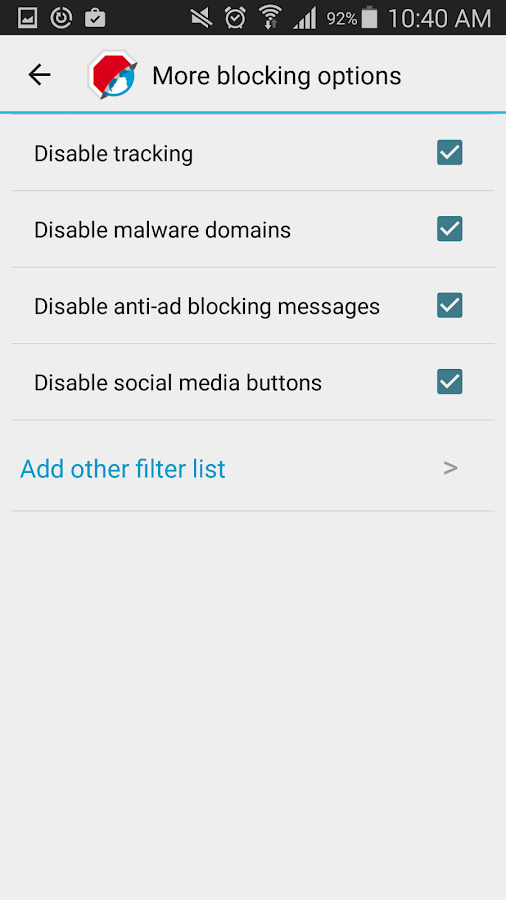
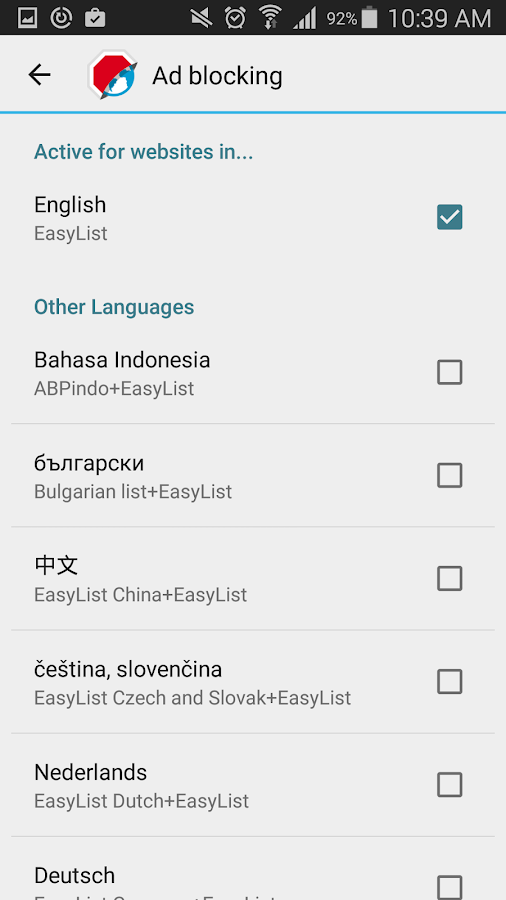
In this one, you just need to use browser that will work as an adblocker. You can block intrusive popups and annoying ads on Facebook, YouTube and more. Because it has an built in ad blocker, Adblock Browser can Load pages faster, Save your battery and data.

Free Adblocker Browser


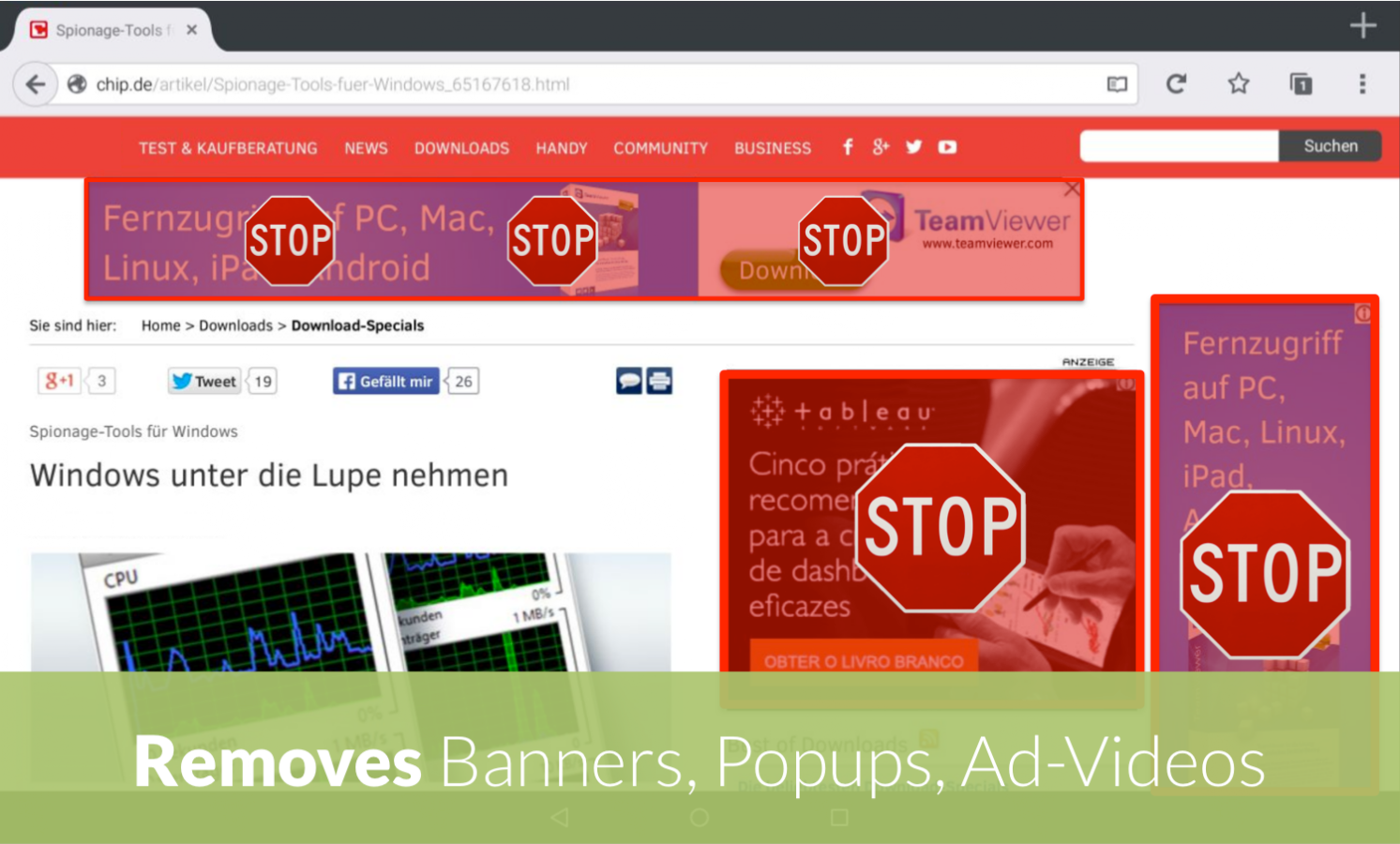
This Android Browser with Adblock enables you to have an ad-free web experience in order to see more of the content that really matters to you. The Adblock enabled browser blocks ads, banners, ad videos, and popups. It can prevent advertisers from tracking your behavior and saves battery as well as data volume with the integrated ad blocker.

Block Ads On Youtube In Android | How To

Block YouTube Ads On Android (Root Required):

First of all, you need to root your android device because the app that we are going to discuss right here only works on rooted android and for that see our tutorial on Root Any Android.


 Now after you rooted your device, download and install the app Xposed Installer. After installing this app, you have to reboot your android to make this app work correctly on your android.

Now you need to download a module that is Youtube Adaway in your android. Now open Xposed installer app and then enable this module for your device.
Now go to Youtube Adaway app and then simply click on Hide ads and also you set some other options like hiding some other unnecessary media from the youtube app.

That’s it! you are done, now you can easily watch your favorite videos in Youtube Official app in your android without seeing any ad on it.

Recover Deleted Files From Your Computer | How to

         Best pc softwares and methods which is used to recover deleted files on PC. Go through the full post to know about it.

Recuva


Recuva is one of the most popular and powerful file recovery tool for Windows. You will find it very easy to navigate because of it’s clean interface user-friendly options. It has following features :
  • Undelete files on your computer
  • Recover deleted emails
  • Securely delete files you want to erase forever
  • Restore unsaved Word documents


Recuva keys

Name:- Hacker223
RK98-Q4JY-BS5M-9KKH-A44C

Name:- DONISBACK223

RK98-WDJB-GVHR-4CSM-C44C

Name:- ONHAX.NET

RK98-38RQ-DWHR-QAYE-Y44C

Name:- LEOHAX.GQ

RK98-WEVR-UKDG-F9TR-G44C

Name:- PCPRO

RK98-VZPF-NJ64-Y43C-K44C

Name:- HARSH223

RK98-58SB-XAVK-GN74-I44C

 Pandora Recovery


Pandora Recovery is the another best hard drive recovery service/tool for recovering files. It helps to recover deleted files from hard drive, USB, Network drives etc. It is best because of following features :
  • Browse, Search, Preview, and Recover deleted files.
  • Recover Archived, Hidden, Encrypted, Compressed files.
  • Recover Images, Documents, Movies, or any other type of files.
  • Recover to Local Hard Drive, Network Drive, or Flash Drive.

This is also the one of best hard drive recovery service providing software. It is a powerful free data recovery software which helps to recover lost partitions and make non-booting disks bootable again when these symptoms are caused by faulty software, certain types of viruses or human error (such as accidentally deleting your partition table). TestDisk is available for lots of operating systems, including Linux, Windows, and Mac OS, and supports lots of file systems. It has following features :
  • Fix partition table, recover deleted partition.
  • Rebuild NTFS boot sector.
  • Undelete files from FAT, exFAT, NTFS and ext2 file system.
  • Recover NTFS boot sector.

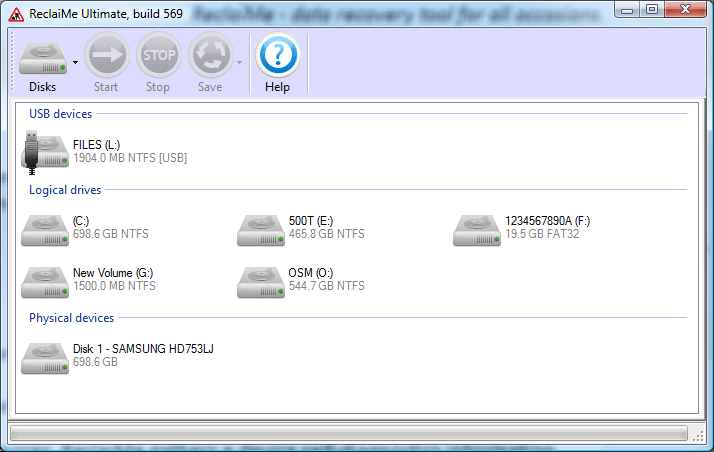
How to Recover Deleted Files From Your Computer

This is another data recovering software. It is very manageable to practice because of its user-friendly interface. It can recover files under Windows (FAT16, FAT32, exFAT, NTFS, ReFS file systems), Linux (EXT2, EXT3, EXT4 and XFS file systems), Mac(HFS, HFS+, and UFS file systems). It has following features :
  • Undelete a single file or multiple files.
  • Unformat a hard drive (desktop and laptop).
  • Recover RAW file system drive.
  • Recover data in case of boot failure.

Last but not least, restoration works with FAT and NTFS as well as digital cameras cards. It is also the powerful tool for recovering lost/deleted data. It has following features :
  • Recover deleted files.
  • Undelete files.
  • Unformat a hard drive.
  • Photo recovery.